Log in


A tool called DROP lets California residents fill out a few forms to keep their personal data from being tracked or sold by data brokers.

The California Privacy Protection Agency kicked off 2026 by launching a tool that state residents can use to make data brokers delete and stop selling their personal information.
The system, known as the Delete Request and Opt-out Platform, or DROP, has been in the works for years, mandated by a 2023 law known as the Delete Act. Under it and previous laws, data brokers must register with the state and enable consumers to tell brokers to stop tracking them and selling their information.
Until now, those instructions had to be delivered to each data broker individually — not an easy feat, given that more than 500 brokers were registered in the state as of the end of last year. Making things even more difficult, some brokers obscured their opt-out forms from search results, as The Markup and CalMatters revealed in August.
The new system delivers privacy instructions to every registered broker at once. Launched on January 1, it is open to all California residents. By law, the hundreds of data brokers registered with the state must begin processing those requests in August.
Here’s how to take advantage of it.
Finding your advertising IDs
DROP asks you to provide some basic information — your name, email address, phone number, and zip code — so data brokers can find you in their systems. You can submit the form with just this information, but if you’d like a more thorough deletion, you can also provide your mobile advertising IDs from your phones, smart TVs, and vehicles. Including these IDs can help brokers match more of your data, but you have to take the time to collect them.
Click here to jump ahead if you want to provide basic information only, or continue reading for instructions on providing mobile advertising IDs for:
- Android phones and tablets
- Apple iPhones and iPads
- Vehicle ID numbers and smart TVs
- Personal computers
Android phones and tablets
The steps below may vary slightly depending on your device and operating system version, but the general process is the same:
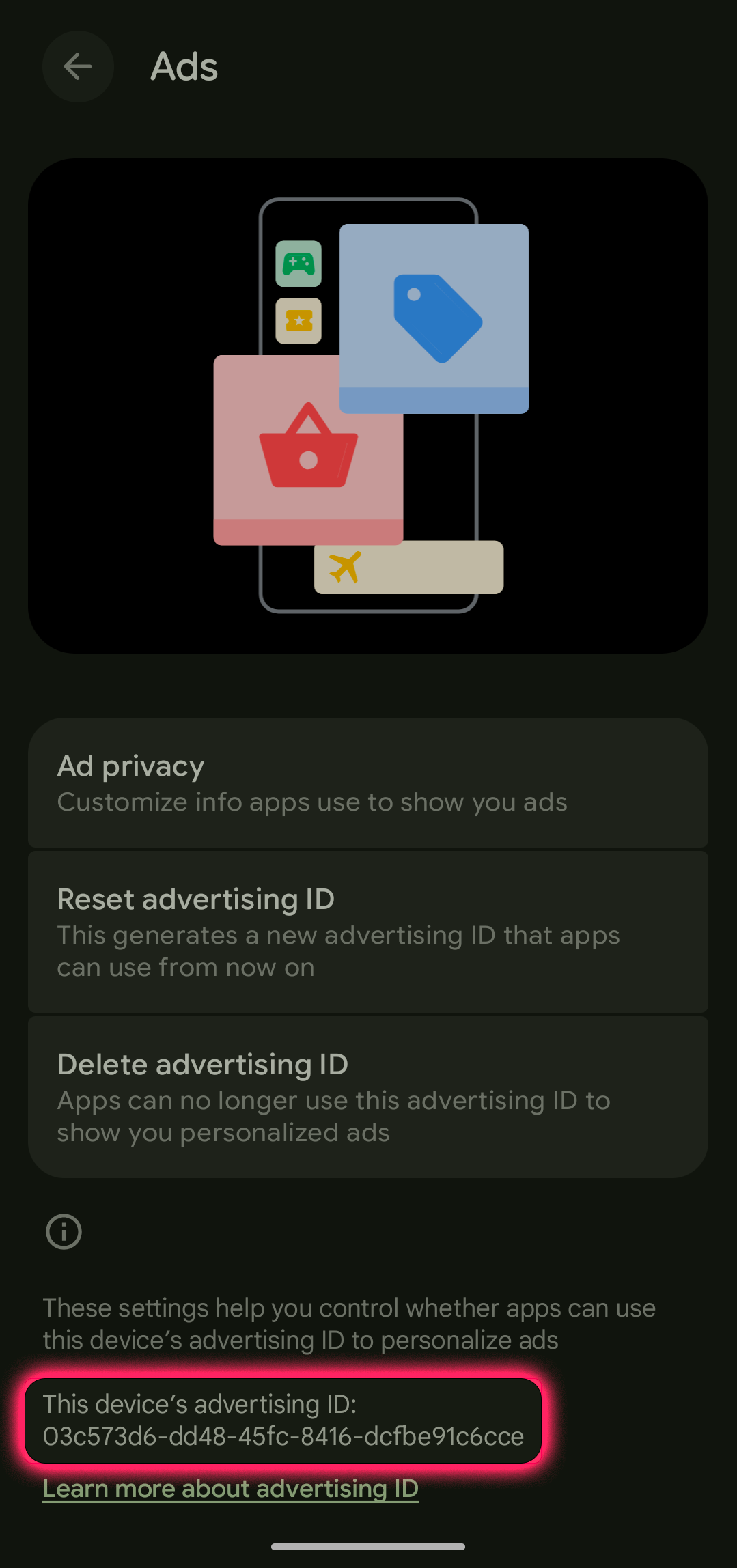
- Open Settings.
- At the top of the Settings screen, select the menu option with your name, followed by “Google services and preferences.”
- Select the All services tab.
- Scroll to the Privacy & Security section, and select Ads. Scroll to the bottom of that screen to get your advertising ID, which will look like a string of random numbers and letters separated by four hyphens. Save that ID for the DROP form.
- On the same screen, you can find options to reset or delete your advertising ID. The CCPA suggests resetting your ID “because it breaks the persistent tracking link that advertisers, data brokers, and apps use to build long-term behavioral profiles of your device.” Alternatively, deleting the ID should prevent ID-based data tracking from happening at all.
Apple iPhones and iPads
Apple doesn’t provide a way for iOS users to see their mobile advertising ID, which it calls the Identifier for Advertisers, or IDFA. But it does provide a way for users to prevent trackers from accessing these IDs.
To turn off tracking, first, adjust your Screen Time settings:
- Open Settings.
- Scroll down and select Screen Time.
- Scroll down and select Content & Privacy Restrictions.
- Scroll down and select Allow Apps to Request to Track.
- Select Don’t Allow Changes.
Then, adjust your Tracking settings:
- Open Settings.
- Scroll down and select Privacy & Security.
- Select Tracking.
- Toggle OFF the option to Allow Apps to Request to Track.
Apple has its own ads system that doesn’t use an IDFA. To disable that:
- Open Settings.
- Scroll down and select Privacy & Security.
- Scroll down and select Apple Advertising.
- Toggle OFF the Personalized Ads option.
A quick note for our technically savvy readers: If you’ve already turned tracking off, you might be tempted to turn it back on to look up your advertising ID using a third-party app, but it’s unnecessary. Re-enabling tracking will reset the ID, limiting its usefulness to data brokers — they can’t continue tracking data or delivering personalized ads using a device ID that no longer exists.
Vehicle ID numbers and smart TVs
Vehicles can track their owners in surprisingly invasive ways, and you can provide a vehicle’s identification number, or VIN, in case data brokers have that information. Where your VIN is will depend on the vehicle, but common places include on the dash on the driver’s side, or on a sticker in the jamb of the front passenger door. Your vehicle registration documents should also have your VIN listed.
Smart TVs also use advertising IDs. Here’s a guide that provides some settings for common brands. If the guide doesn’t cover your smart TV, try checking under its privacy or advertising settings. But be aware that this is different from numbers like the model code and serial number.
Personal computers
Laptop and desktop computers use unique identifiers to share data, but these are harder to find than mobile advertising IDs. Instead, you can turn off tracking, which will delete those IDs. (Turning tracking on again will generally reset the IDs.)
- On computers running Windows, you can turn off your advertising ID by going to Settings. Depending on your OS version, select Privacy or Privacy & security. Then select General, and adjust your settings there.
- On Mac computers, navigate to System Settings > Privacy & Security > Apple Advertising. Then, toggle off Personalized Ads.
The California Privacy Protection Agency also provides some of its own guidance on finding advertising IDs.
Verify your identity
Go to the DROP website. You’ll be asked to accept the terms of use and be directed to a page that asks you to prove you’re a California resident. There are two ways to do so, and you can’t change methods once you’ve selected one of them.
- The system allows you to verify your identity using personal information through a system called the California Identity Gateway.
If you select this option, you’ll be asked to provide some basic personal information, like a phone number, email address, California address, or your social security number. The gateway will use this information to attempt to verify your residency directly with the state. This option should be quick if you have an email address and phone number. - Alternatively, you can verify your identity to DROP using login.gov, a system that some federal and state agencies in the United States have adopted to allow residents to interact with government services.
To sign up for a login.gov account, you’ll be asked to provide an email address, create a password, and provide photos of government-issued identification. After signing up and verifying your identity, you should be able to move on to the next step. This option might take a little more effort than the first option, since ID is required, but might be faster if you’ve already signed up for an account for other purposes.
Fill out and submit the DROP form
After verifying your identity, you’ll get to a form where you can submit multiple versions of your name, up to three zip codes, up to three email addresses, up to three phone numbers, advertising IDs from your mobile devices and smart TVs, and VINs for your vehicles. You’ll be asked to verify your email addresses and phone numbers with single-use codes before submitting. (The agency notes there may be delays with some verification codes due to high volume.)
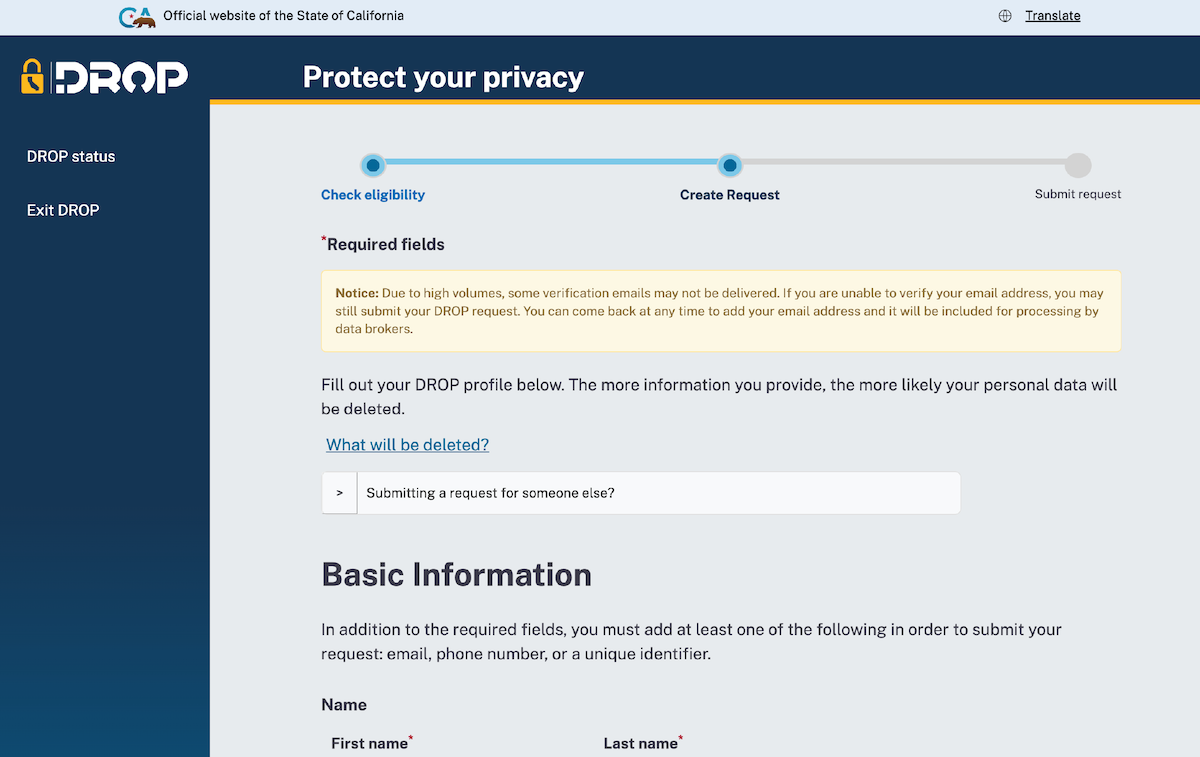
Once you submit the form, you’ll get a unique DROP ID to check the status of your request.
What happens now?
Sit back and wait. While the window for making DROP requests has opened, data brokers registered with the state aren’t required to handle them just yet. On August 1, brokers will begin processing the requests.
Starting then, companies have 45 days to process requests and 90 days to report back on how they handled requests. If they fail to do so, the companies can face financial penalties.
In the meantime, you can monitor the status of your request with your DROP ID. At some point later in the year, when you log in the system should tell you whether your data was successfully deleted, whether records on you weren’t found, or whether companies believed the data was exempt from deletion under the law, which provides some limited ways for brokers to hold on to data.
If you find more information while you’re waiting for your request to be processed, like a new mobile advertising ID, you can update your request with that information, increasing the odds you’ll successfully get your data deleted.